# xteink-plugins
A plugin system for customizing and extending https://github.com/crosspoint-reader/crosspoint-reader firmware on your xteink device. Plugins are applied as source-level patches before the firmware is compiled and flashed.
## Plugins
### Dark Mode
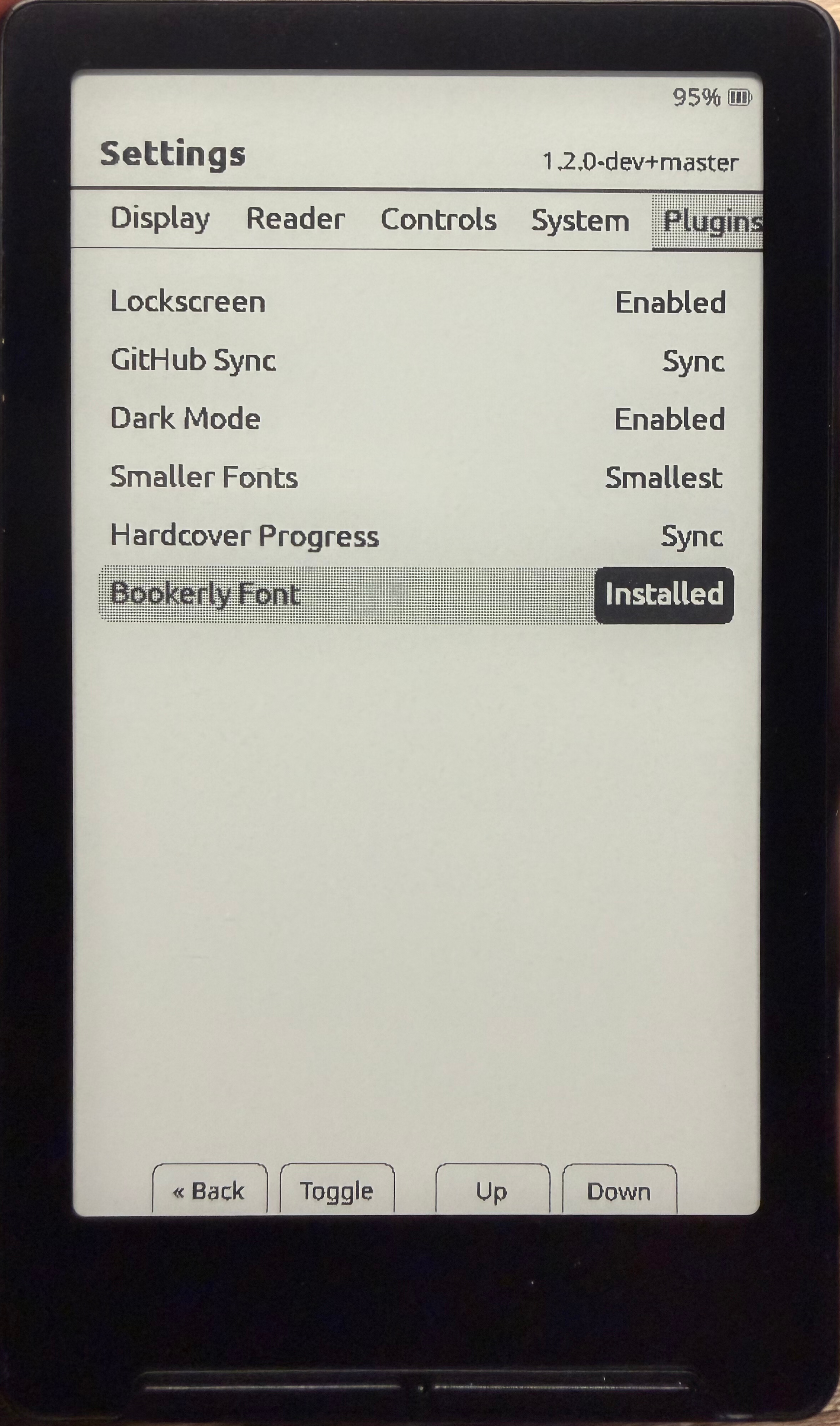
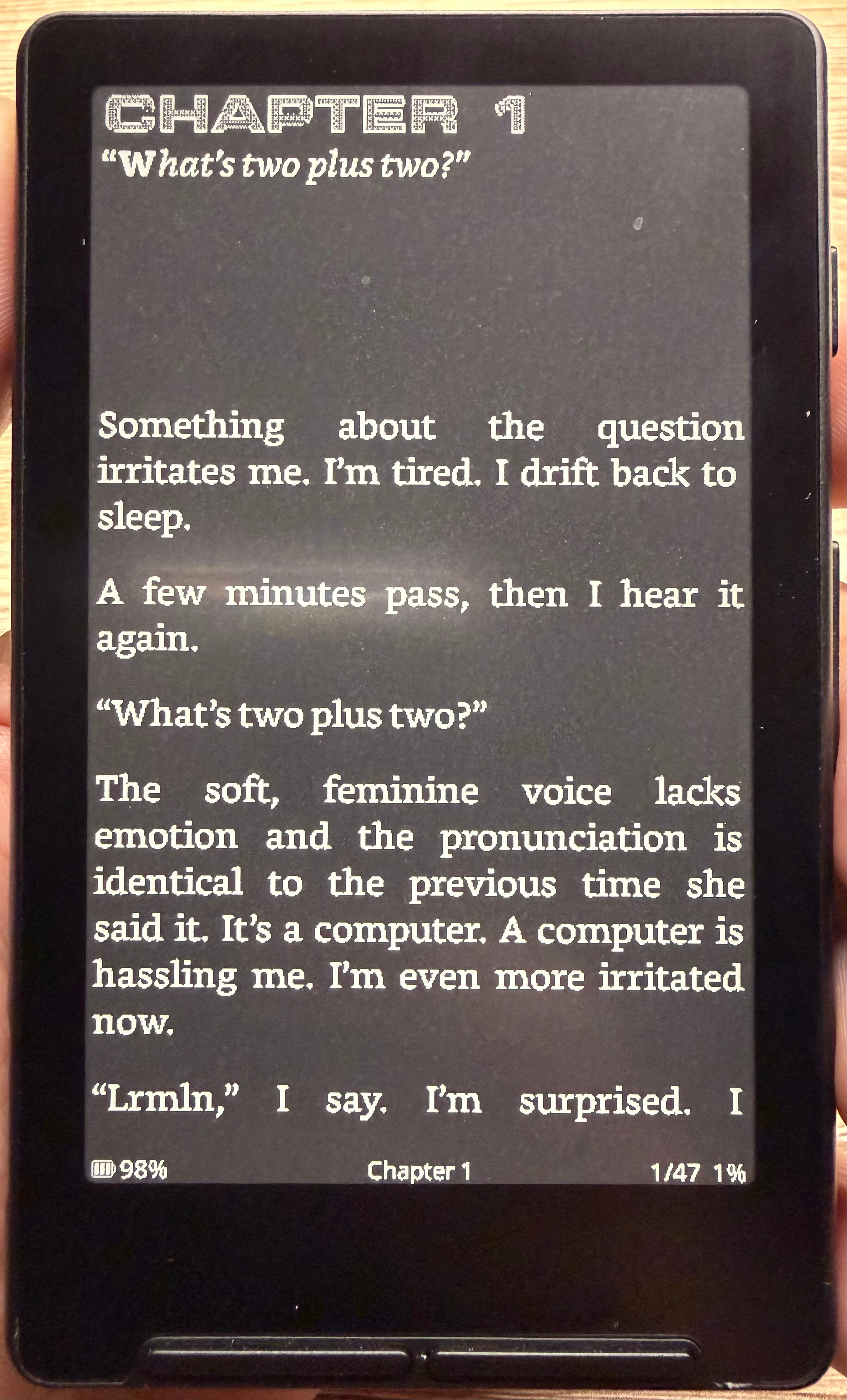
Adds a Dark Mode option to the Plugins settings tab and the web interface Settings page. When enabled, the screen is inverted after each page render, producing white-on-black text across all reader formats (EPUB, TXT, and XTC).
State | Effect
------|--------
Disabled | Normal display (default)
Enabled | Screen inverted — white text on black background
---
### Smaller Fonts
Adds a Smaller Fonts option to the Plugins settings tab and the web interface Settings page. When enabled, your chosen reader font is transparently substituted with a smaller variant — no need to change your font preference.
Mode | Effect
-----|--------
Disabled | No change (default)
Enabled | Drops the current font size down by one step (e.g. Bookerly 16 → 14)
Supports Noto Serif, Noto Sans, and Bookerly.
---
### Lockscreen
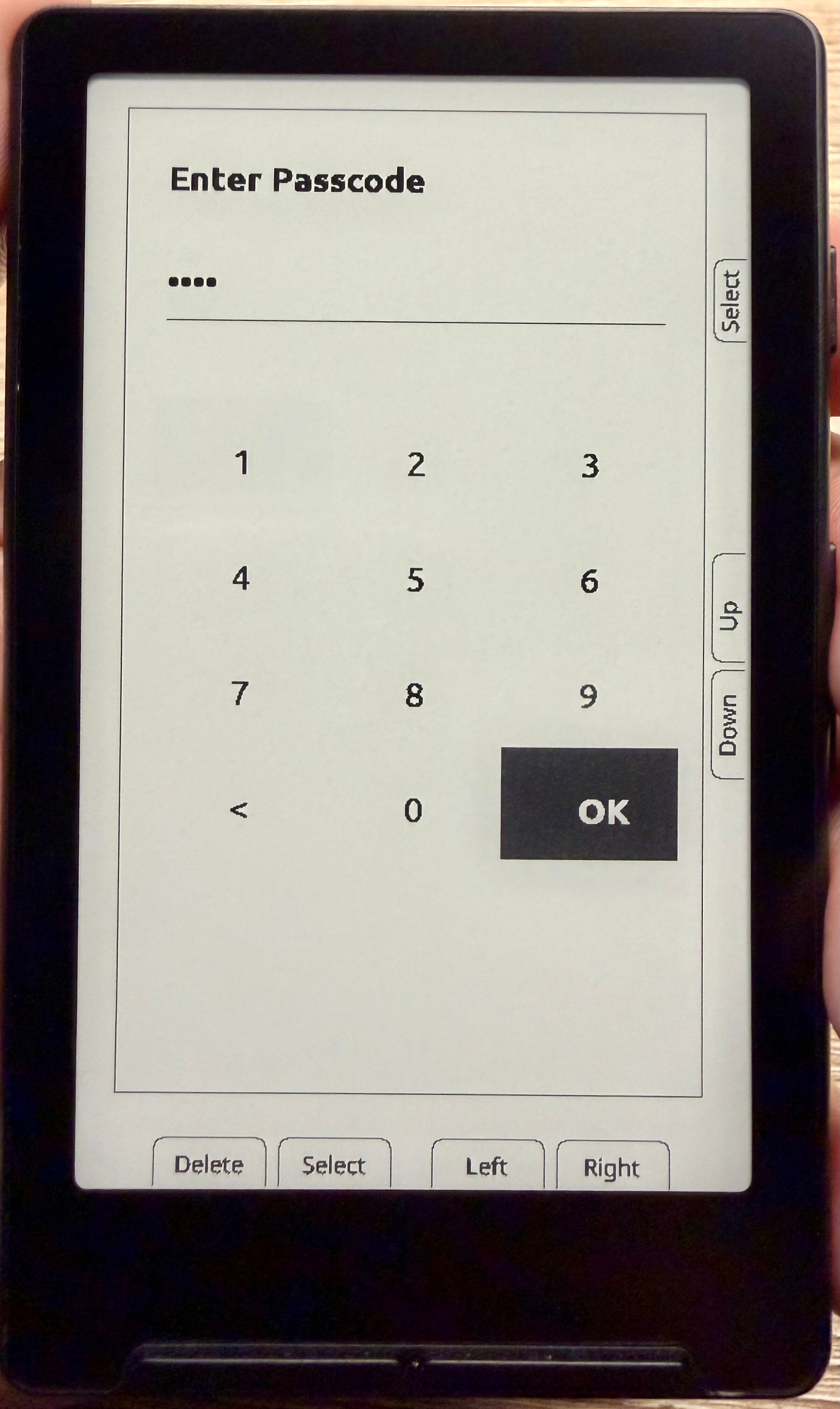
Adds a customizable Lockscreen experience to your xteink device.
This plugin introduces a dedicated lockscreen activity that is shown when the device wakes or powers on.
Features:
- Custom lockscreen activity integrated into firmware
- Four-digit PIN configurable on plugin enable
- Displays on device wake or power-on
- Replaces default wake screen behavior
- Clean UI consistent with CrossPoint Reader
---
### Bookerly Font
Adds the Bookerly font to your xteink device, available as a reader font option alongside the built-in Noto Serif, Noto Sans, and OpenDyslexic fonts.
- Generates Bookerly at 12pt, 14pt, 16pt, and 18pt during install
- Selectable via Settings → Reader → Font
- Works with the Smaller Fonts plugin to drop one size step down (e.g. 16 → 14)
---
### Hardcover Sync
Automatically syncs your reading progress between your xteink device and https://hardcover.app.
- Extracts ISBN metadata from EPUB files to identify books
- Tracks reading progress (page numbers) while you read
- Automatically syncs progress for books with > 0% completion
- Marks books as "Read" when you reach 100%+ completion
- Requires a Hardcover API token configured in Settings
Books without ISBN metadata or at 0% completion are skipped. 100%+ completed books are automatically moved to your "Read" shelf on Hardcover.
Requirements:
- Active internet connection via WiFi
- Hardcover account and API token
- Books with embedded ISBN metadata
---
### GitHub Sync
Syncs `.epub` files from a private GitHub repository to your device on boot.
- Downloads new or updated books from your configured repo automatically on startup
- Skips files already on the device that haven't changed
- Configurable via Settings → Plugins → GitHub Sync (username, personal access token, repo, branch), after flashing
Requirements:
- Active internet connection via WiFi
- GitHub account with a repository containing your `.epub` files
- Personal access token with read-only Contents access to the repo
---
## Requirements
- Python 3.10+
- PlatformIO (pio on your PATH)
- git
- Your xteink device connected via USB
Install Python dependencies with:
pip3 install -r requirements.txt
## Usage
From the root of this repository, run:
python3 install.py
To auto-accept all plugin prompts, pass --yes (or -y):
python3 install.py --yes
By default this uses the default build environment. To use a different environment pass --environment (or -e):
python3 install.py --environment slim
python3 install.py --environment gh_release
Flags can be combined:
python3 install.py -y -e gh_release
Environment | Description
------------|-------------
default | Debug logging enabled, version from current git branch (recommended)
gh_release | Info logging only, version hardcoded to release tag
slim | No serial logging, smallest binary size
The installer will:
1. Clone the CrossPoint Reader source repository
2. Prompt you to select which plugins to install and apply them as patches
3. Build the firmware with PlatformIO
4. Auto-detect your device's serial port and flash the firmware
Note: This script modifies and flashes custom firmware to your device. The author accepts no responsibility for any damage that may occur to your device as a result of using this installer.
## Repository Structure
```
xteink-plugins/
├── install.py # Interactive installer: clone → select → apply → build → flash
├── framework/ # Shared plugin engine (see "Adding a Plugin" below)
│ ├── manifest.py # Declarative contribution types plugins are built from
│ ├── engine.py # Applies every selected plugin's contributions in one pass
│ └── discovery.py # Finds plugin.py files under plugins/
├── test_harness.py # Applies every plugin, alone and in combination, against a
│ # fresh clone and reports pass/fail - run this after adding
│ # or editing a plugin
└── plugins/
├── darkmode/
│ ├── plugin.py
│ └── DarkModePlugin.h/.cpp
├── smallerfonts/
│ ├── plugin.py
│ └── SmallerFontsPlugin.h/.cpp
├── lockscreen/
│ ├── plugin.py
│ ├── LockscreenPlugin.h/.cpp
│ └── LockscreenActivity.h/.cpp
├── bookerly/
│ ├── plugin.py
│ └── BookerlyPlugin.h/.cpp
├── hardcover/
│ ├── plugin.py
│ ├── HardcoverPlugin.h/.cpp
│ └── HardcoverSyncActivity.h/.cpp
├── githubsync/
│ ├── plugin.py
│ ├── GitHubSync.h/.cpp
│ └── GitHubSyncSettingsActivity.h/.cpp
└── pong/
├── plugin.py
└── PongActivity.h/.cpp
```
## Troubleshooting
### Linux: Permission denied when flashing
If you see an error like:
Could not open /dev/ttyACM0, the port is busy or doesn't exist
or Permission denied
Run:
sudo usermod -aG dialout $USER
Log out and log back in for the change to take effect, then re-run install.py.
### Windows: 'pio' is not recognized
If you see:
'pio' is not recognized as an internal or external command
Run in PowerShell:
$env:PATH += ";$env:USERPROFILE\.platformio\penv\Scripts"
[Environment]::SetEnvironmentVariable("PATH", $env:PATH, "User")
If Python was installed from the Microsoft Store:
$scripts = (Get-ChildItem "$env:USERPROFILE\AppData\Local\Packages" -Filter "Scripts" -Recurse -ErrorAction SilentlyContinue | Where-Object { $_.FullName -like "*Python*" } | Select-Object -First 1).FullName
$env:PATH += ";$scripts"
[Environment]::SetEnvironmentVariable("PATH", $env:PATH, "User")
Restart your terminal and re-run install.py.
## Adding a Plugin
1. Create a new directory under `plugins/` with your plugin's name.
2. Add a `plugin.py` with a `get_manifest(ctx) -> PluginManifest` function. Use an existing plugin (e.g. `plugins/pong/plugin.py` for a simple action-row example, or `plugins/darkmode/plugin.py` for a settings-backed one) as a template. `framework/manifest.py` documents every contribution type: `SettingsField`, `PluginsTabEntry`, `SettingActionEnumValue`, `MainHook`, `ToggleHook`, `TranslationEntry`, and so on.
3. List any plugin-owned `.h`/`.cpp` files under `source_files` so the installer copies them into the firmware tree - you don't touch any shared CrossPoint file directly.
4. Run `python3 test_harness.py /tmp/scratch ` (or `all` to check every plugin and combination) to confirm it applies cleanly alone and alongside everything else, before shipping it.
The installer automatically discovers and offers to install any directory under `plugins/` that contains a `plugin.py` exposing `get_manifest`.